iPhone · Android · Mac · Windows
Outturn,
in your pocket.
Install it straight from the browser in two taps. No app store, no waiting for updates. It opens into a live demo workspace for MaxOut360.
Scan with your phone's camera
It opens the app on your phone. Then add it to your home screen.
Open the demo here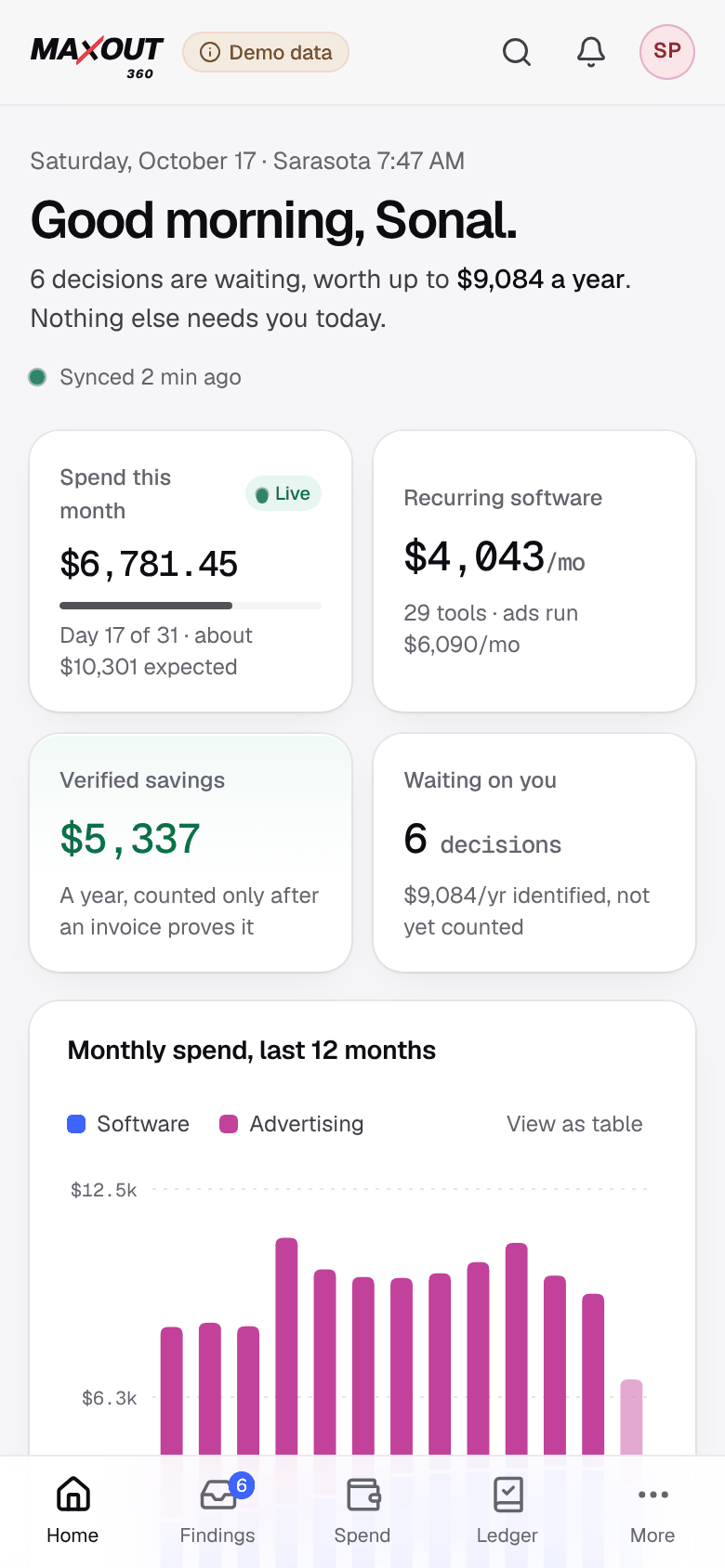
Two taps. Any device.
Outturn is a Progressive Web App. It installs from the browser you already use, updates itself in the background and takes almost no space.
1Open this page in Safari (or Chrome on iOS 16.4+).
2Tap Share at the bottom of the screen.
3Choose Add to Home Screen, then Add.
Outturn appears on your home screen and opens full screen, like any other app.

Dr. Sonal Poto's workspace, set up for a performance gym.
31 recurring vendors across ads, booking, coaching and testing. Mindbody still billing after the move to WellnessLiving. Three AI note-takers on the same calls. A legacy Meta ad set nobody turned off.
Demo data. Real vendor names; MaxOut360's accounts and figures are illustrative.
- Live from the first screenMonth-to-date spend ticks up as charges post. New activity streams in while you watch.
- Decide on the trainEvery finding shows its evidence, its doubts and its options. Approve or ask the owner in one tap.
- Works offlineThe app shell is cached on the device, so it opens instantly and shows your last view without a signal.